Printify teams for your assistants.
Printify has no team accounts, and it signs you in with Google. POD Hub adds teams through Printify's official API. Your assistants manage orders with their own logins, and your Google account stays yours.
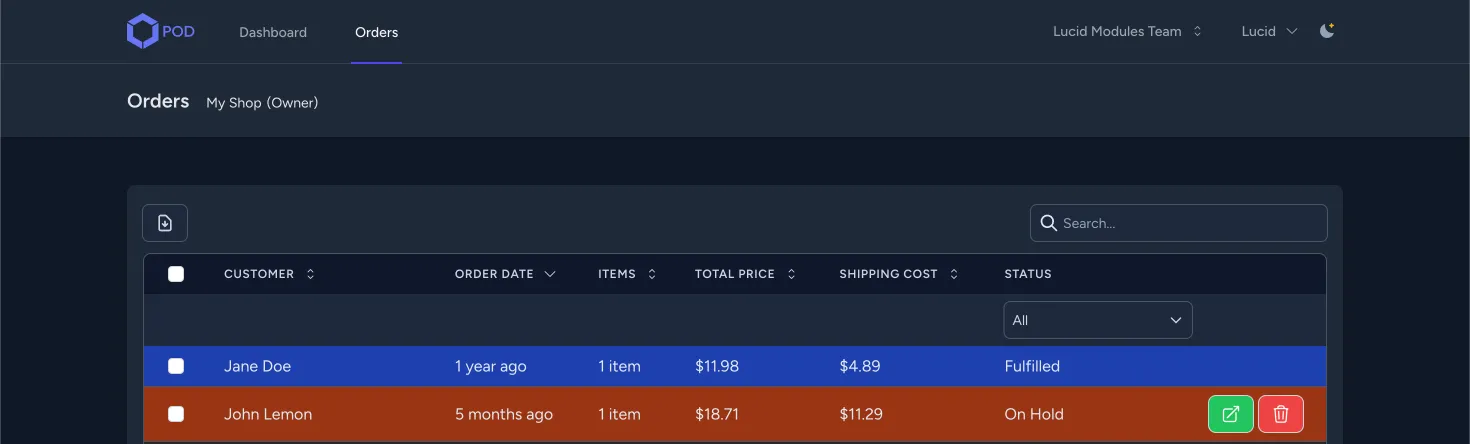
What POD Hub does.
- Teams and roles. Invite an assistant as a Sales Manager. Each person signs in with their own account and sees only what their role allows.
- Orders in one grid. Sort, filter by status and search by customer name. Colors mark the orders that need you.
- Clone an order. Printify's API can't change orders it pulled from Shopify, WooCommerce or Etsy. Clone the order, fix the address and send the copy to production.
- Submit and cancel with a check. Every order action asks for confirmation first, so nobody sends or cancels an order by mistake.
- Your funds stay yours. Only the account owner adds funds to Printify. Your team spends only what you put in.
- Two-factor sign-in. Each person turns on two-factor authentication with an app such as Google Authenticator.
How to start.
Register
Create a POD Hub account with your email.
Link Printify
Create a team, then click Link Printify Account in Team Settings and approve it on Printify.
Invite
Add an assistant by email as a Sales Manager. They get an invitation link.
Hand over orders
Your team works the orders grid. You keep the Printify account and the funds.
Who it fits.
POD Hub fits print-on-demand sellers on Printify who hand orders to a virtual assistant or a sales manager. The free version covers one team of three: you and two members.
The setup guide walks through every screen, from the first team to the clone order flow.
Hand over orders and keep your login.
Create a free POD Hub account.
Link Printify and invite your team.