
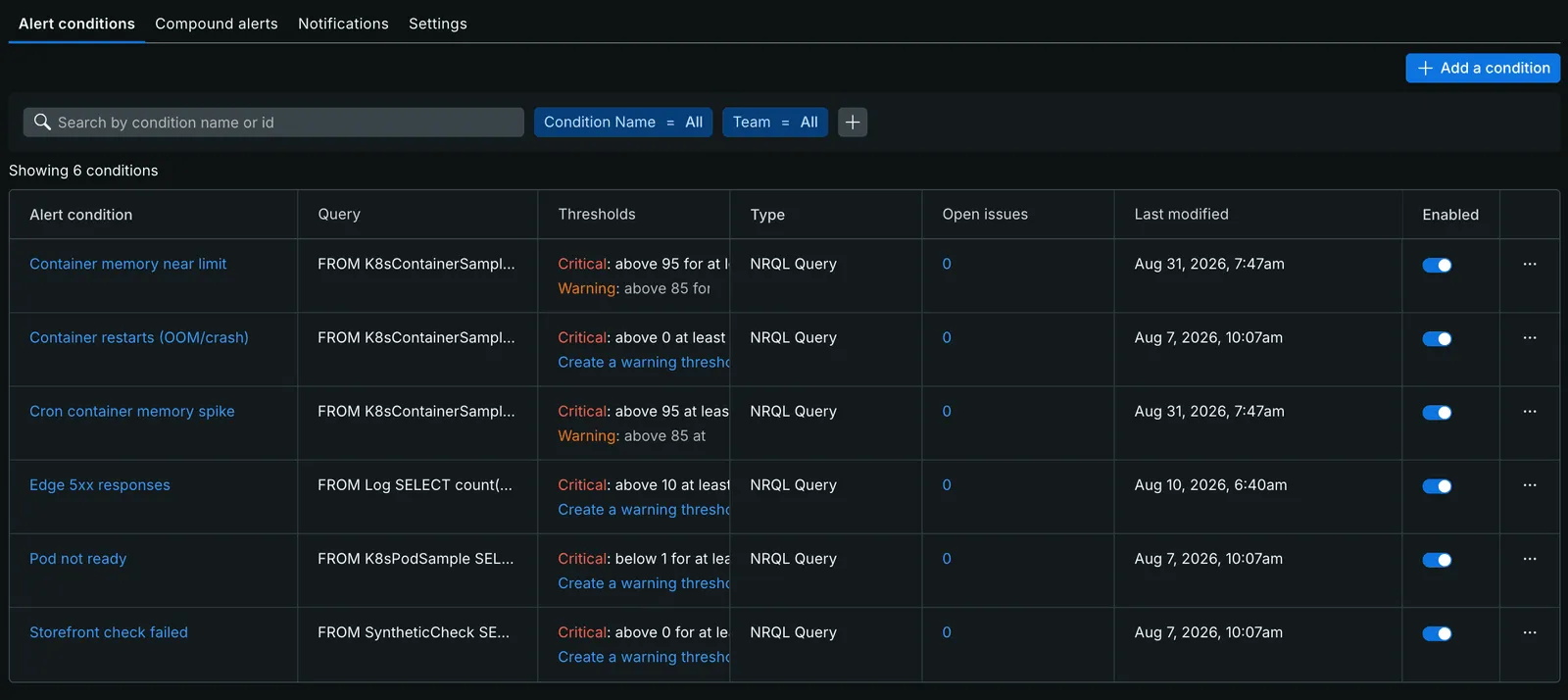
To run New Relic on Magento 2 as code, split the work in two. The server installs the PHP agent and enables Magento’s New Relic module, which names transactions and sends deployment markers.
The newrelic Terraform provider then manages everything inside your New Relic account: the alert policy, NRQL conditions, a dashboard and the workflow that sends notifications.
The steps below explain each part, with Terraform examples to adapt to your account.
This guide covers setup and alerting. For cutting the monthly bill, see New Relic pricing on Magento.
What you need
- A Magento 2.4 store with the New Relic PHP agent installed on every web and cron server.
- A New Relic account ID and a User API key. Keys of this type start with
NRAK. - Terraform 1.5 or newer, or OpenTofu.
- The
Magento_NewRelicReportingmodule enabled. It ships with Magento Open Source and Adobe Commerce.
The provider does not touch the server.
The agent reads newrelic.ini and lives in your server tooling, next to PHP itself.
Step 1: install the PHP agent and name the app
New Relic tells applications apart by their name. Pick it once, because a new name creates a new application entity and breaks the history (naming your PHP app).
; /etc/php/8.3/mods-available/newrelic.ini (the path depends on your distribution)
newrelic.license = "YOUR_INGEST_LICENSE_KEY"
newrelic.appname = "Acme Store"
; The agent detects Magento by itself. Set it only if detection fails.
newrelic.framework = "magento2"
Several stores on one server need one name per store. PHP-FPM sets it per pool:
; /etc/php/8.3/fpm/pool.d/acme-eu.conf
[acme-eu]
php_value[newrelic.appname] = "Acme Store EU"
The New Relic docs also show fastcgi_param PHP_VALUE "newrelic.appname=..." in an NGINX location block.
They warn that this value sometimes never reaches PHP, so a separate pool is the safer choice (per-directory settings).
Step 2: configure the Magento New Relic module
The Magento New Relic integration lives in Magento_NewRelicReporting.
It adds four things on top of the agent:
- It names CLI transactions
CLI <command name>, soindexer:reindexandcron:runshow up as separate transactions. - It sends exceptions caught by Magento’s HTTP application to New Relic as errors.
- It adds custom attributes to transactions:
Order,orderValueandlineItemCounton the request that places an order, plusstoreandwebsiteon storefront requests. - It can report each Magento area as its own app.
All settings live under newrelicreporting/ (from the module’s system.xml):
newrelicreporting/general/enable: turns the integration on.newrelicreporting/general/app_name: the app name, same asnewrelic.appname.newrelicreporting/general/app_id: the APM application ID for the v2 REST deployment API.newrelicreporting/general/api: the API key for deployment markers, stored encrypted.newrelicreporting/general/account_id: the account ID.newrelicreporting/general/insights_insert_key: the insert key for cron events.newrelicreporting/general/separate_apps: reports each area code as an extra app.newrelicreporting/general/api_mode:v2_restornerdgraph(Magento 2.4.9 and newer).newrelicreporting/general/entity_guid: the entity GUID for NerdGraph mode (Magento 2.4.9 and newer).newrelicreporting/cron/enable_cron: turns on the module’s cron reports.
The module marks the account ID, the app ID and both keys as sensitive.
Set them with config:sensitive:set so they land in app/etc/env.php and stay out of the database dump:
bin/magento config:set newrelicreporting/general/enable 1
bin/magento config:set newrelicreporting/general/app_name "Acme Store"
bin/magento config:sensitive:set newrelicreporting/general/account_id 1234567
bin/magento config:sensitive:set newrelicreporting/general/app_id 987654321
bin/magento config:sensitive:set newrelicreporting/general/api "NRAK-..."
The same command runs the field’s backend model, so the API key is still encrypted in env.php.
One app or one app per area
With separate_apps set to 1, the module calls newrelic_set_appname() with two names: Acme Store;Acme Store_frontend on the storefront and Acme Store;Acme Store_adminhtml in the admin.
The first name keeps every request, and the second gives you an app per area.
Alerts on Acme Store_frontend then ignore slow admin grids and long cron jobs.
Customer names in your telemetry
On storefront requests from a logged-in customer the module also adds CustomerId and CustomerName.
A customer’s name in a monitoring tool is personal data you have to justify.
Drop it in the agent if you have no use for it:
newrelic.attributes.exclude = "CustomerName"Step 3: send a New Relic deployment marker on every release
A deployment marker draws a line on every APM chart at the moment a release went live. “Checkout got slow on Tuesday” turns into “checkout got slow after release 412”. Magento ships a command for it:
bin/magento newrelic:create:deploy-marker "Release 412" "Fix tax rounding, PHP 8.3" "deploy-bot" "412"The arguments are the message, the change log, the user and the revision.
Always pass a change log, because current Magento code marks it as required even where older documentation calls it optional.
On Magento 2.4.9 with api_mode set to nerdgraph, the command also takes --commit, --deep-link and --group-id.
It then calls NerdGraph’s changeTrackingCreateDeployment mutation instead of the old REST endpoint.
Run it as the last step of the deploy, after setup:upgrade and the cache flush.
In a Capistrano setup it is one more task after deploy:published (see automatic deployment with Capistrano).
With enable_cron on, the module’s cron job also creates a marker when someone enables, disables, installs or removes a module.
Step 4: alert policies with the New Relic Terraform provider
Configure the provider with the account and region.
Keep the key in the NEW_RELIC_API_KEY environment variable, which the provider reads by default (provider configuration):
terraform {
  required_providers {
    newrelic = {
      source  = "newrelic/newrelic"
      version = "~> 3.68"
    }
  }
}

provider "newrelic" {
  account_id = var.account_id
  region     = var.region # US, EU or JP
}
One policy per store keeps the routing simple.
PER_CONDITION opens one issue per condition, so a slow checkout and an error spike reach you as two notifications:
resource "newrelic_alert_policy" "magento" {
  name                = "Magento: ${var.app_name}"
  incident_preference = "PER_CONDITION"
}
Each signal is a newrelic_nrql_alert_condition.
Four NRQL queries cover the failures a Magento merchant feels first:
-- Apdex for web transactions
SELECT apdex(duration, t: 0.5) FROM Transaction
WHERE appName = 'Acme Store' AND transactionType = 'Web'

-- Web error rate (%)
SELECT percentage(count(*), WHERE error IS TRUE) FROM Transaction
WHERE appName = 'Acme Store' AND transactionType = 'Web'

-- Place order p95 (s)
SELECT percentile(duration, 95) FROM Transaction
WHERE appName = 'Acme Store' AND request.uri LIKE '%/payment-information'

-- Orders placed
SELECT count(*) FROM Transaction
WHERE appName = 'Acme Store' AND `Order` = 1
The place-order filter matches Magento’s checkout endpoints /V1/carts/mine/payment-information and /V1/guest-carts/:cartId/payment-information.
Order needs backticks because ORDER is an NRQL keyword.
Apdex in NRQL scores duration only, and errors do not lower it (NRQL apdex()).
That is why the error rate gets its own condition.
Here is the Apdex one:
resource "newrelic_nrql_alert_condition" "apdex" {
  policy_id                    = newrelic_alert_policy.magento.id
  type                         = "static"
  name                         = "Apdex below target"
  violation_time_limit_seconds = 86400
  aggregation_window           = 60
  aggregation_method           = "event_flow"
  aggregation_delay            = 120

  nrql {
    query = "SELECT apdex(duration, t: ${var.apdex_t}) FROM Transaction WHERE appName = '${var.app_name}' AND transactionType = 'Web'"
  }

  critical {
    operator              = "below"
    threshold             = 0.7
    threshold_duration    = 300
    threshold_occurrences = "all"
  }
}
Orders work best as a baseline condition with baseline_direction = "lower_only" and weekly seasonality.
A static threshold either fires every night or misses a Saturday outage.
The baseline learns the weekly rhythm and fires when orders fall well below it.
This catches a payment method that fails without an error.
Place-order requests are rare next to page views.
Give that condition a 5-minute window with aggregation_method = "event_timer", the method New Relic suggests for sparse data.
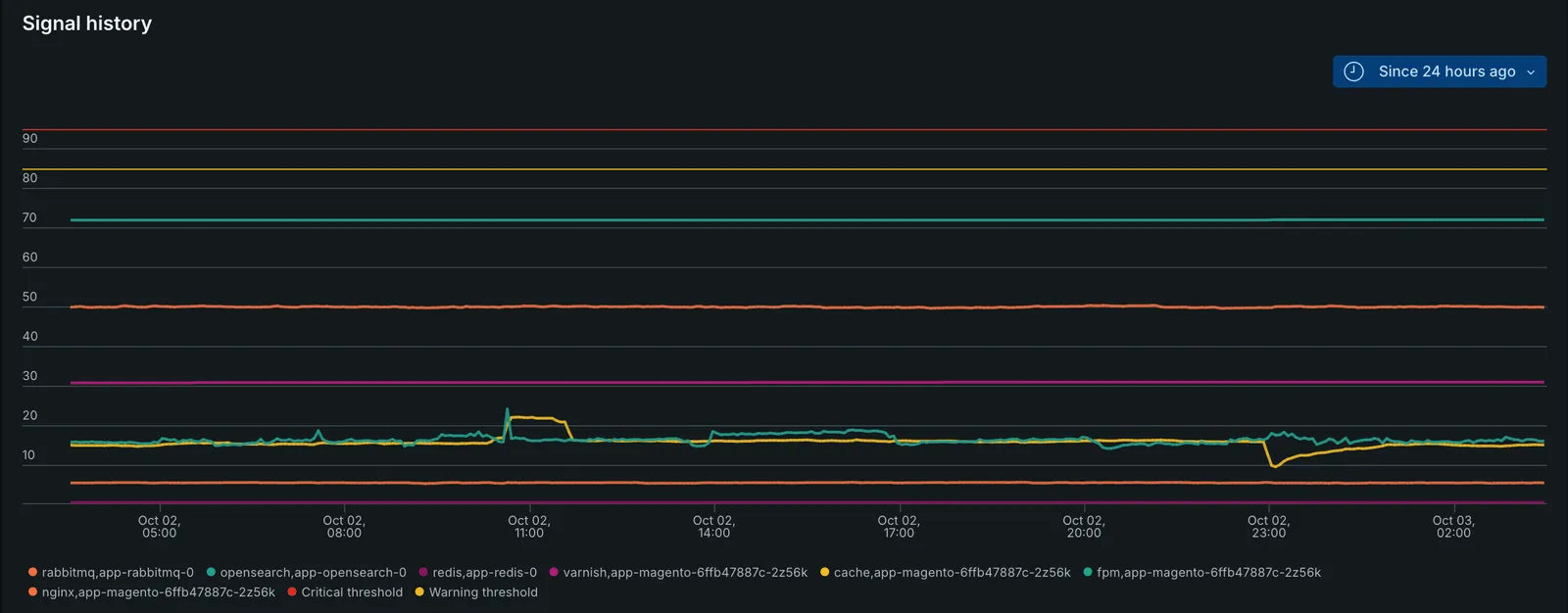
Check a new condition’s signal history before you trust it. The chart above plots each container’s memory against the warning and critical thresholds, so you see how much headroom a threshold leaves.
Step 5: route notifications with a workflow
Notifications take three resources.
A destination holds the target (email addresses, a webhook, PagerDuty).
A channel is the message template, and it needs product = "IINT" to work with workflows.
The workflow picks issues by policy and sends them to the channel:
resource "newrelic_workflow" "magento" {
  name                  = "Magento: ${var.app_name}"
  muting_rules_handling = "DONT_NOTIFY_FULLY_MUTED_ISSUES"

  issues_filter {
    name = "Magento policy"
    type = "FILTER"

    predicate {
      attribute = "labels.policyIds"
      operator  = "EXACTLY_MATCHES"
      values    = [newrelic_alert_policy.magento.id]
    }
  }

  destination {
    channel_id            = newrelic_notification_channel.email.id
    notification_triggers = ["ACTIVATED", "CLOSED"]
  }
}
Slack destinations are the exception.
The provider can import, update and delete them, but it cannot create them (newrelic_notification_destination).
Connect Slack once in the New Relic UI, then import the destination into Terraform.
Step 6: a NRQL dashboard as code
newrelic_one_dashboard describes pages and widgets with the same NRQL.
List the widgets in row order, then column order.
The provider docs warn that any other order shows drift on every plan.
resource "newrelic_one_dashboard" "magento" {
  name        = "Magento: ${var.app_name}"
  permissions = "public_read_only"

  page {
    name = "Magento: ${var.app_name}"

    widget_billboard {
      title  = "Apdex"
      row    = 1
      column = 1
      width  = 4
      height = 3

      nrql_query {
        query = "SELECT apdex(duration, t: 0.5) FROM Transaction WHERE appName = '${var.app_name}' AND transactionType = 'Web'"
      }
    }

    widget_line {
      title  = "Place order p95 (s)"
      row    = 4
      column = 1
      width  = 6
      height = 3

      nrql_query {
        query = "SELECT percentile(duration, 95) FROM Transaction WHERE appName = '${var.app_name}' AND request.uri LIKE '%/payment-information' TIMESERIES"
      }
    }
  }
}
Add widgets the same way: a billboard for errors and orders, a table of the slowest transactions by total time, and a chart of data ingest by source. The ingest chart is the starting point for the cost work in New Relic pricing on Magento.
Before you apply
Treat the examples above as starting points to adapt to your store.
Set the names and thresholds from your own store, put the resources in one Terraform configuration, and run terraform plan against your account before the first apply.
The examples read four variables, so declare them next to the resources:
variable "account_id" {
  type = number
}

variable "app_name" {
  type = string
}

variable "apdex_t" {
  type    = number
  default = 0.5
}

variable "region" {
  type    = string
  default = "US" # US, EU or JP
}
export NEW_RELIC_API_KEY="NRAK-..."
terraform init
terraform plan -var account_id=1234567 -var app_name="Acme Store"Let the dashboard collect a week of data, then tune the thresholds from what your store does.
Mistakes we see most
- Renaming the app in
newrelic.ini. The new name starts a new entity with an empty history. Change the display alias in the UI instead. - Keeping
newrelic_nrql_drop_rulein old code. It reached end of life on 31 August 2026 and its API calls now fail (migration guide). Move tonewrelic_pipeline_cloud_rule. - Alerting on averages. One slow checkout hides inside an average of thousands of cached page views. Use percentiles and a filter on the request that matters.
- Deploy markers from a laptop. Put the command in the deploy script, or nobody runs it on a Friday evening.
Monitoring tells you that something broke, and someone still has to fix it. That is the job of our Magento support and maintenance service, which sets up this module as part of onboarding. If the alerts point at a slow store, a Magento performance audit finds the cause. For custom modules that need their own transactions or attributes, see our Magento 2 development work.
Frequently asked questions
New Relic, Terraform and Magento 2
Can Terraform configure the New Relic PHP agent on a Magento server?
No. The newrelic Terraform provider manages objects inside your New Relic account: alert policies, NRQL conditions, dashboards, notification destinations and workflows. The PHP agent runs on the server and reads newrelic.ini, so you install and configure it with your server tooling (a Dockerfile, Ansible or the deploy script).
Which Magento config paths control New Relic?
The Magento_NewRelicReporting module stores its settings under newrelicreporting/general. The main paths are enable, app_name, app_id, api, account_id, insights_insert_key and separate_apps. Magento 2.4.9 adds api_mode and entity_guid for NerdGraph deployment markers. Cron reporting sits under newrelicreporting/cron/enable_cron.
How do I create a New Relic deployment marker from a Magento deploy?
Run bin/magento newrelic:create:deploy-marker with a message and a change log after the new release goes live. Add the user and the revision as the third and fourth arguments. The command needs the New Relic integration enabled and an API key in the module's configuration.
Does the newrelic Terraform provider still support drop rules?
No. The newrelic_nrql_drop_rule resource reached end of life on 31 August 2026 and its API calls now fail. Use newrelic_pipeline_cloud_rule for dropping data or attributes, and newrelic_metric_pruning_rule for attributes on metric aggregates.
What should I alert on for a Magento store?
Start with four signals: Apdex for web transactions, the share of web transactions that end in an error, the 95th percentile duration of the place-order request, and placed orders against their weekly baseline. The last one catches a broken payment method that throws no error.