Let shoppers build their sofa, then buy it in one click.
They drag, snap and rotate modules in 3D on your product page. Then they pick the fabric and the legs. The price and the dimensions update as they go, and the finished set lands in the cart.
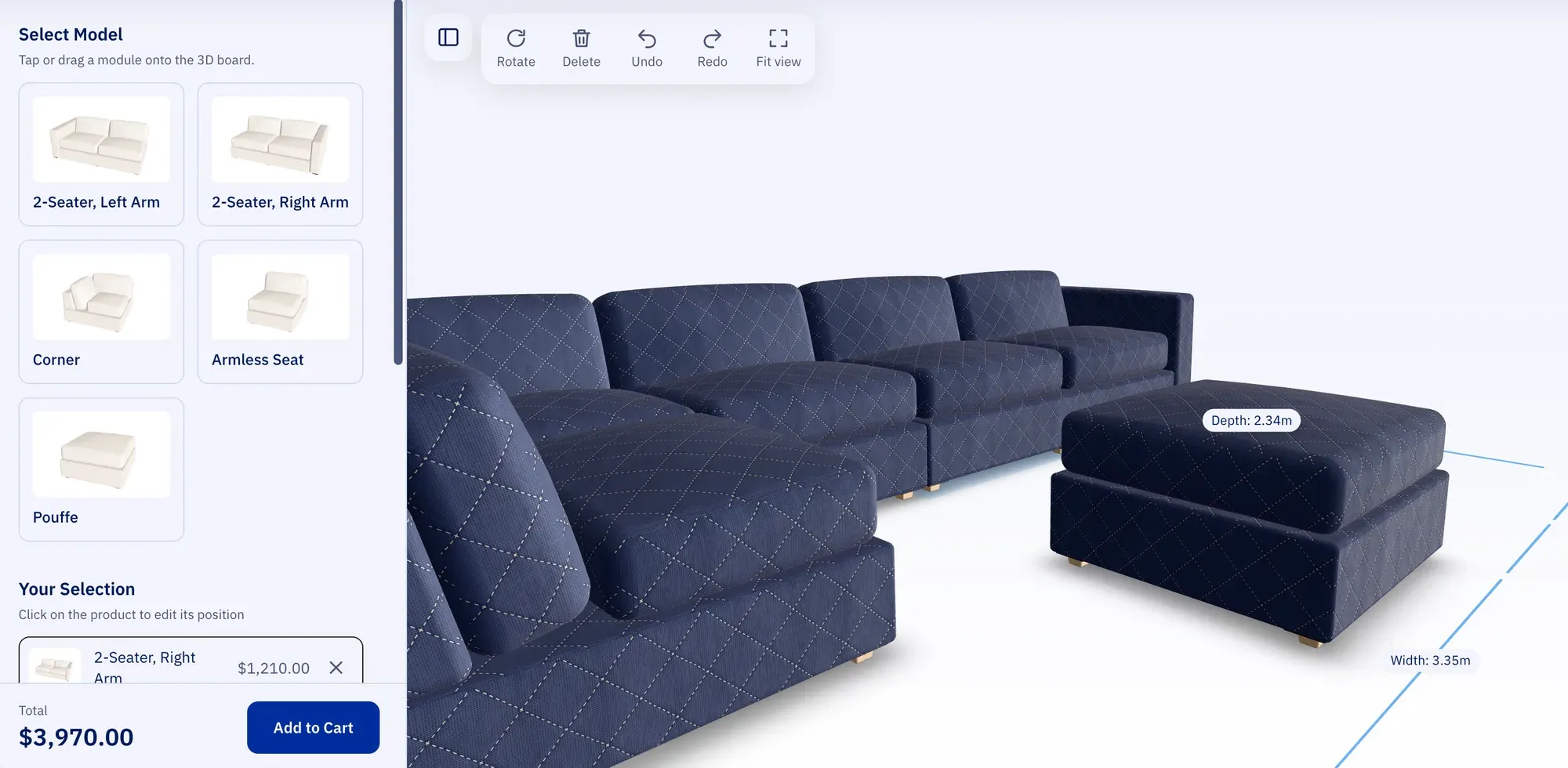
Loading the 3D sofa…
This browser has no WebGL 2, so the 3D demo can’t run here. Open the page in a current version of Chrome, Edge, Firefox or Safari to try it.
A working demo with a sample catalogue and example prices. The same configurator embeds in your product page.
Fabric and metal textures from ambientCG, room lighting from Poly Haven. Both CC0.
Why a sofa brand needs a builder.
About 3,000 people a month in the US alone search for a way to build their own sofa. A brand without a builder sends them to a competitor that has one.
| Search term | US searches per month |
|---|---|
| build your own sectional | 1,900 |
| build your own sofa | 880 |
| design your own sofa | 210 |
| sofa configurator | 170 |
- Fewer “will it fit?” questions
- The configurator shows the size of the set as it grows. Shoppers check it against their room before they write to your support team.
- Bigger orders
- Every extra module adds to the order. A corner or a pouffe is one drag away, and the price shows what it adds.
- The exact set, ready to ship
- Each module reaches your store as a product with its chosen options. Nobody re-keys a sketch from an email.
How the sectional sofa configurator works.
The sectional builder runs on your product page. A set goes from your module catalogue to the cart in four steps.
-
Module catalogue
Each module is a product in your store with its own 3D model. Corners, armless seats, chaises and pouffes all fit the same scheme.
-
Snapping on the floor
Shoppers drag modules onto the 3D floor, where their edges snap to the neighbours. A red footprint marks a spot where two modules would overlap.
-
Fabrics and legs
Each swatch is a product option with its own surcharge. The price updates the moment a shopper switches.
-
The set goes to the cart
One cart line per module, each with its fabric and legs as product options.
- Drag and snap. Modules click into place and rotate on the spot.
- Swatches with live pricing. Surcharges show before the shopper commits.
- GPU-compressed textures. KTX2 fabric maps stay small on the wire and in the phone’s memory.
Works with Magento 2, WooCommerce, Shopify and BigCommerce.
The configurator ships as a JavaScript library that mounts on any product page. A store adapter turns the set into cart items.
- Magento 2 Ready
- Modules map to configurable products and swatches to their options. The set lands in the Magento cart at catalog prices.
- WooCommerce Adapter per project
- We connect the modules to your variable products and the WooCommerce cart.
- Shopify Adapter per project
- We connect the modules to your products, variants and the Shopify cart.
- BigCommerce Adapter per project
- We connect the modules to your product options and the BigCommerce cart.
- Headless stores Adapter per project
- The configurator calls your cart API. We write the mapping with your team.
Modular sofa configurator questions.
Does it handle corner and chaise modules?
Is the fabric chosen per module or for the whole set?
How does a set show in the cart?
Which 3D files do you need?
What does a sofa configurator cost?
One product with options instead?
See the 3D product configurator and the 3D furniture configurator use case for a chair, a desk or a lamp with material choices.
Give shoppers a sofa builder of your own.
Send us your module range. We scope a pilot on your best-selling sofa.
Reply within 1 business day · Taipei, Taiwan · UTC+08:00